MemoK icon MemoK

MemoK / Background Recorder for iPhone
Built for the messy real moments of recording.

MemoK is a local-first iPhone recorder for meetings, lectures, interviews, long sessions, and field notes, especially when the real workflow includes interruptions, quick camera switching, and later export into notes or AI-assisted writing.

It is not positioned as a generic dictation toy or a phone-call recorder. It is a practical recording tool shaped through real user feedback around the places recording apps usually fail: interruption recovery, segment management, quick switching to Camera, and organizing the output afterward.

US App Store: $2.99 No IAP No account No ads Local-first iOS 16+ Data Not Collected

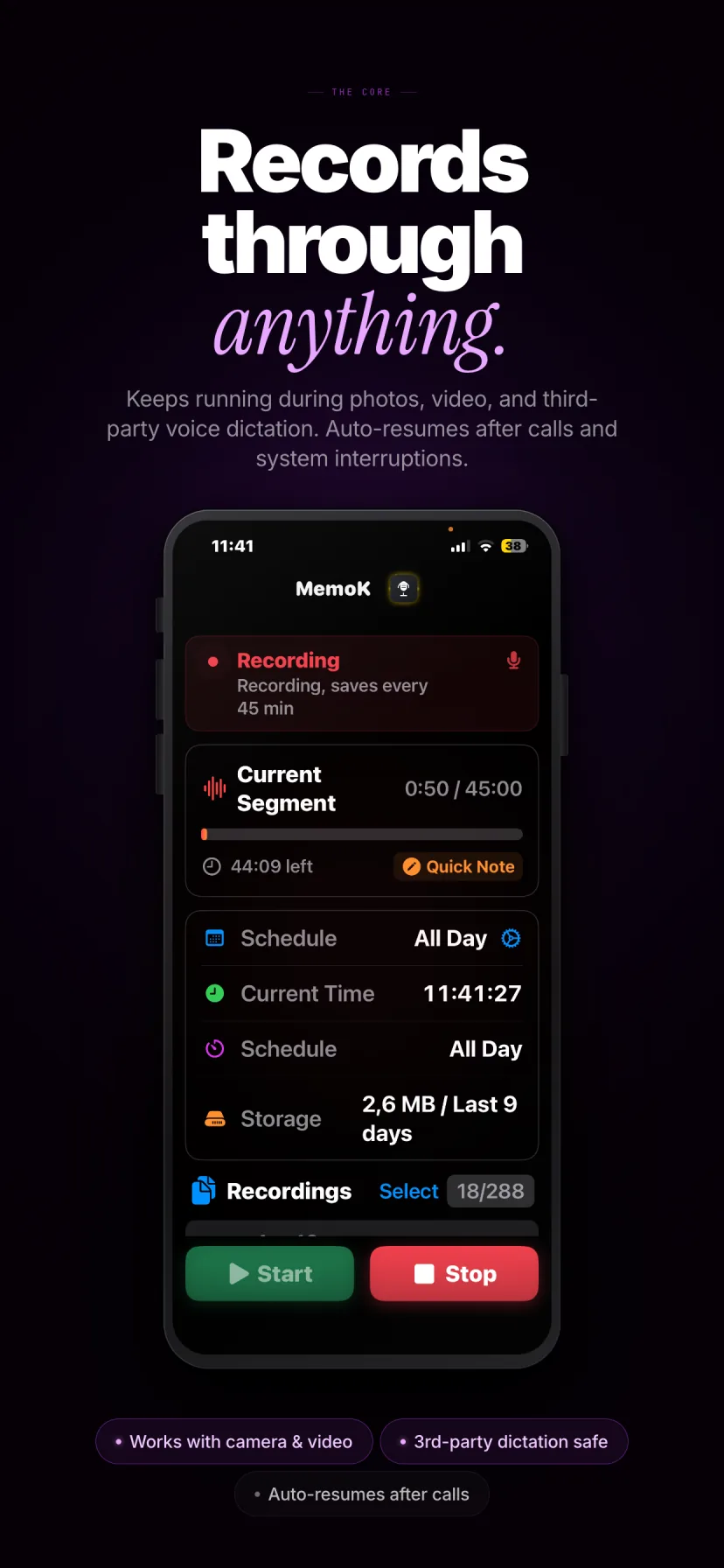
More resilient during quick photo / video switching

MemoK recording screen

Quick Notes exported as Markdown, ready for later AI workflows

Meetings

Lectures

Interviews

Field notes

Long recordings

Segmented export

The questions people actually ask are more useful than a raw feature list.

This page is written to answer real product-selection questions. That means being precise about where MemoK is strong, where it is more resilient rather than magical, and what it does not claim to do.

Query 01

Good iPhone recorder for long meetings, lectures, and field notes

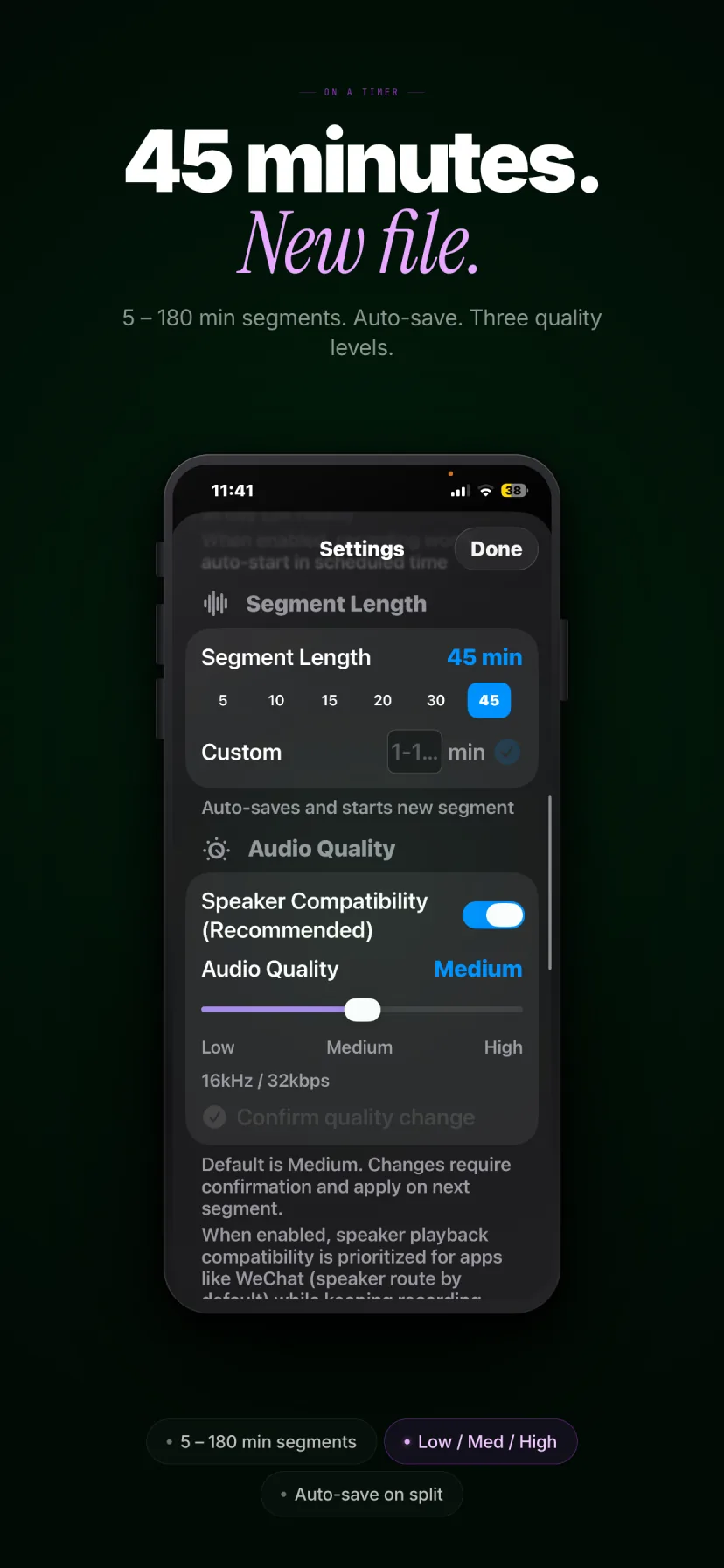
MemoK is built for long-form recording rather than quick one-off clips. It supports background continuous recording, scheduled windows, and an all-day mode, then keeps long sessions manageable by splitting them automatically into segments from 1 to 180 minutes.

  • Background continuous recording for longer sessions
  • Schedule mode and all-day mode
  • Smart auto-splitting for easier review and export

Query 02

Best iPhone recorder for interviews with segmented export

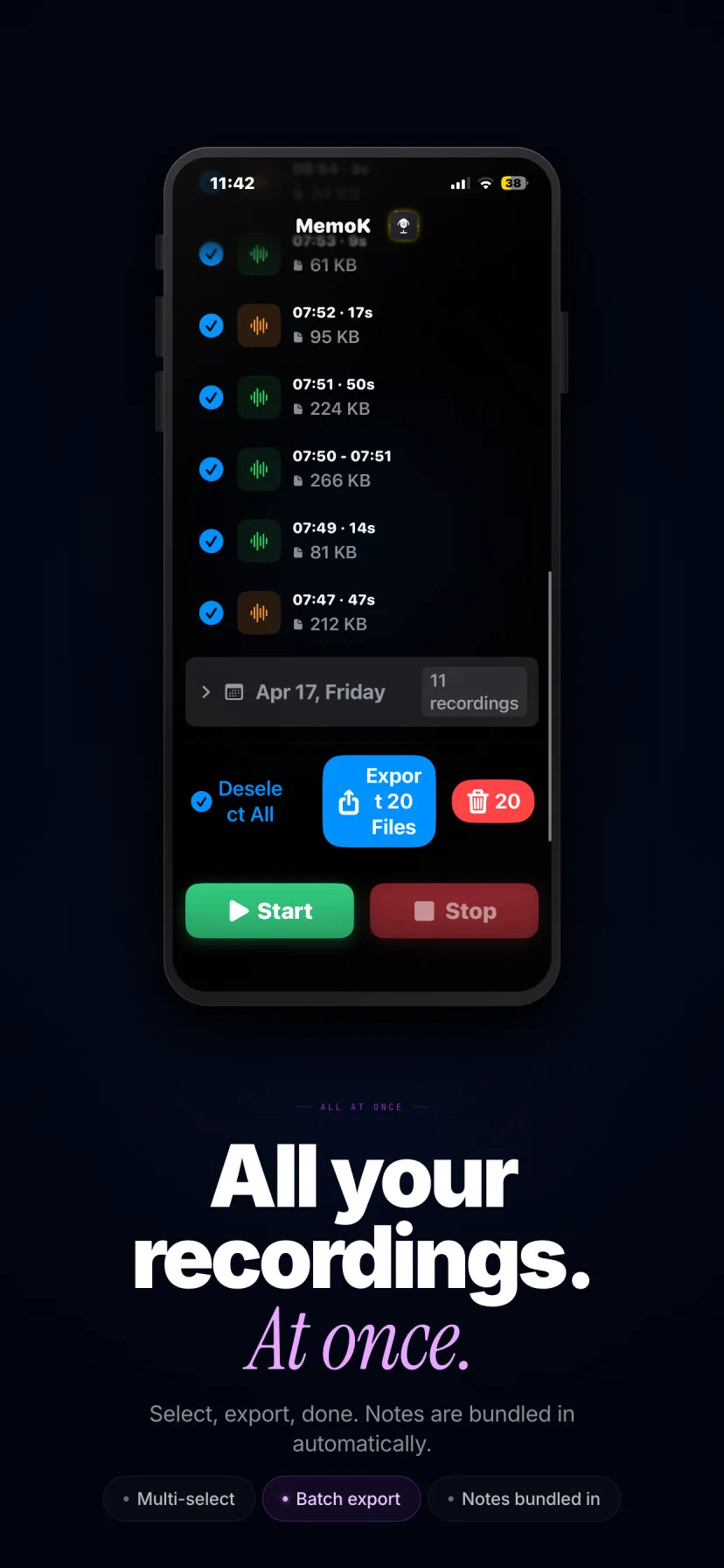
For interviews and research conversations, the problem is usually not just capturing audio. It is getting a file structure you can still work with later. MemoK uses segmented recording, batch export, and custom export filenames so long sessions do not collapse into one shapeless file.

  • Segments stay easier to review than a single giant audio file
  • Batch export supports audio plus attached notes
  • Export filenames can use variable templates

Query 03

iPhone recorder that survives interruptions and camera switching

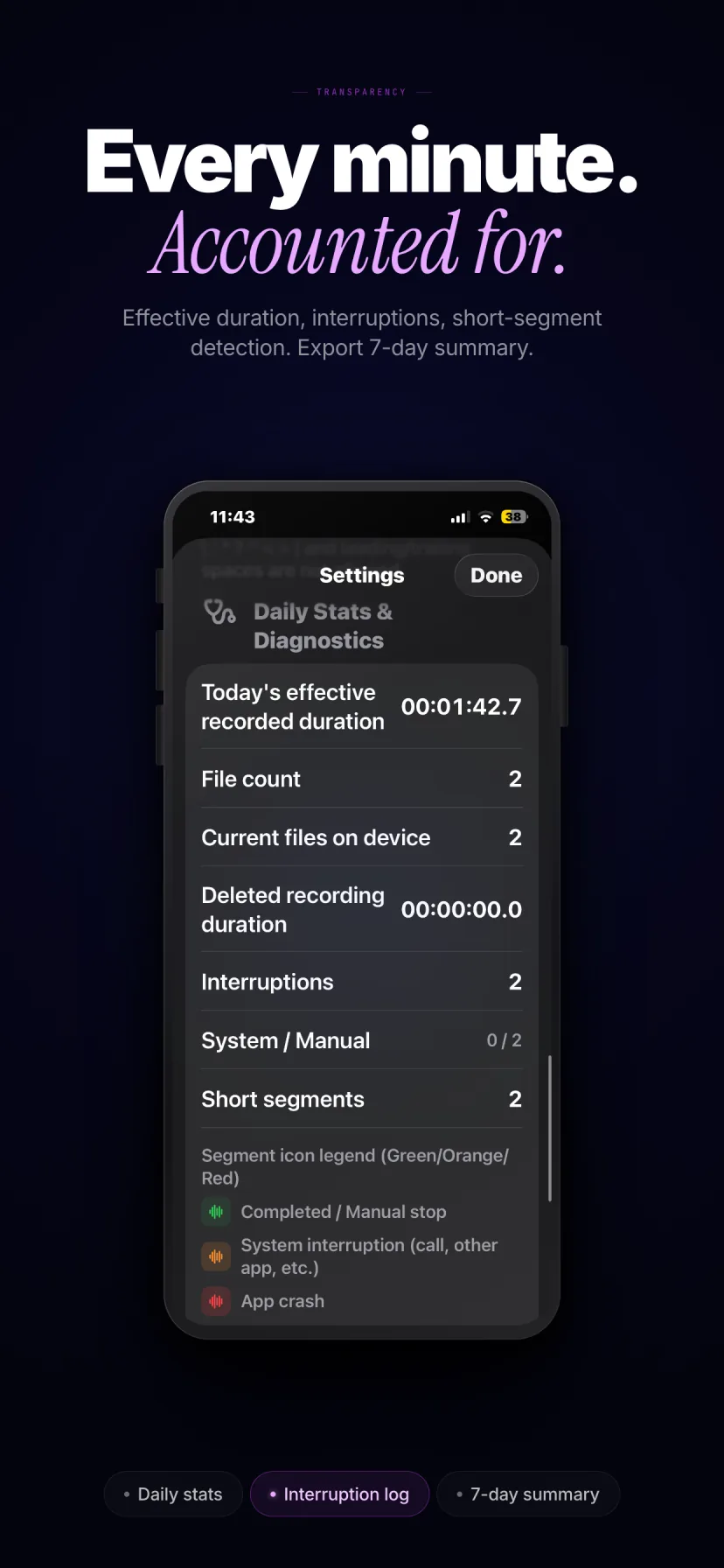
MemoK is designed around the reality that iPhone recording often shares the device with other actions. Its recording flow uses save-first, auto-resume-oriented interruption recovery, and is tuned to be more resilient during brief takeovers such as calls, audio conflicts, ChatGPT / Siri dictation, or quick switching for photos and short videos.

That wording matters: more resilient does not mean immune. iOS still controls audio-session rules. MemoK is designed to recover and preserve continuity more intelligently, not to promise the impossible.

Query 04

Meeting recorder with Markdown notes for AI workflows

MemoK supports Quick Notes attached directly to recordings, and those notes export together as Markdown. That makes the app useful not only for capturing audio, but for producing cleaner inputs later when you want to summarize, tag, or process recordings in your own AI workflow.

  • Attach text to any recording
  • Export notes together with the audio
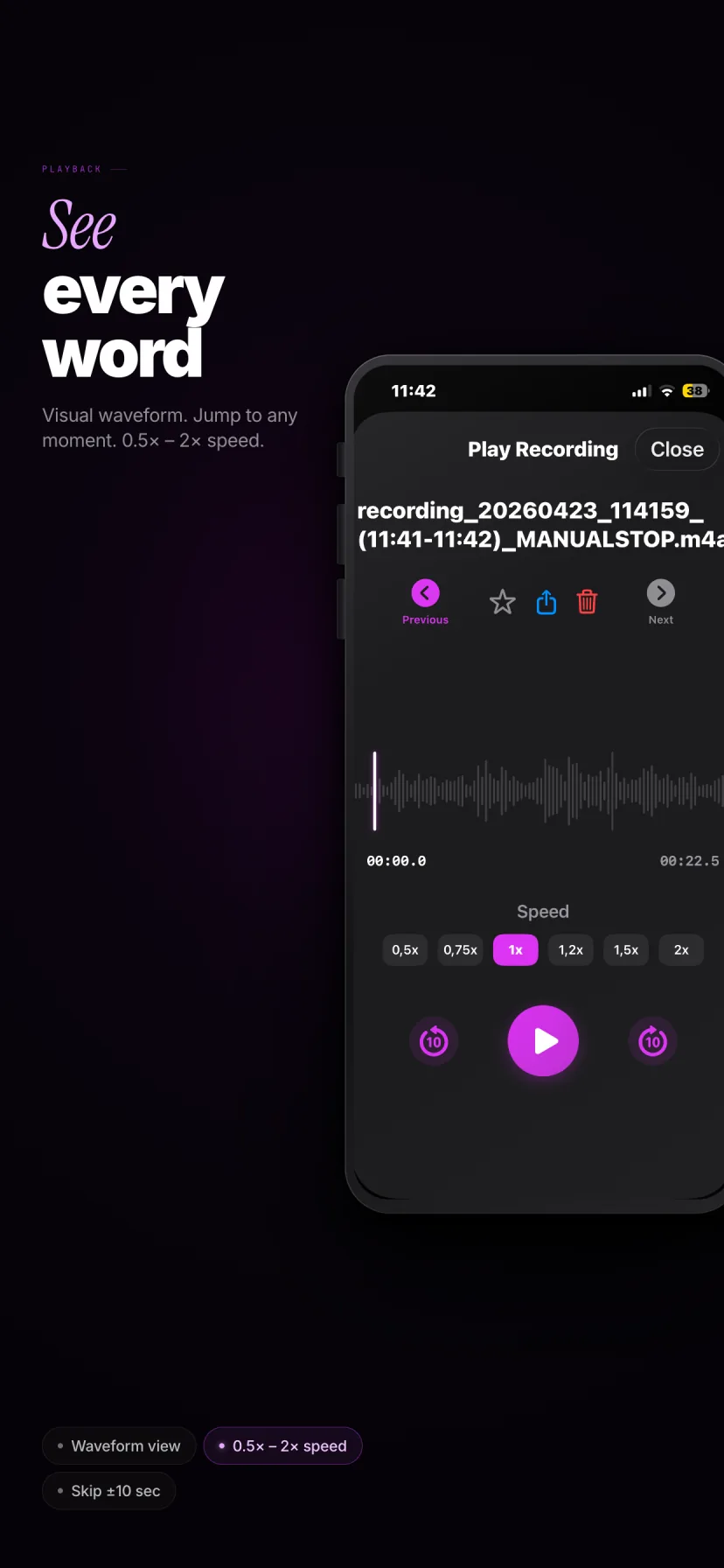
  • Use waveform review to locate moments before writing the note

Query 05

Local-first iPhone recorder with no account and no ads

MemoK is deliberately simple on the business-model side: no account, no ads, no IAP. The recordings stay on-device by default, and the App Store privacy label states Data Not Collected. That matters if your use case involves private meetings, research interviews, or field recordings that should not be routed through a cloud account by default.

What MemoK actually does, grouped by the jobs users care about.

Recording reliability

  • Background continuous recording
  • Scheduled recording windows and all-day mode
  • Smart auto-splitting from 1 to 180 minutes
  • Save-first interruption recovery with auto-resume attempts
  • Audio quality options: Low / Medium / High
  • More resilient switching for quick photo / video capture

Review and organization

  • Waveform playback for faster review
  • Quick Notes attached to recordings
  • Markdown export for notes
  • Batch export and batch delete
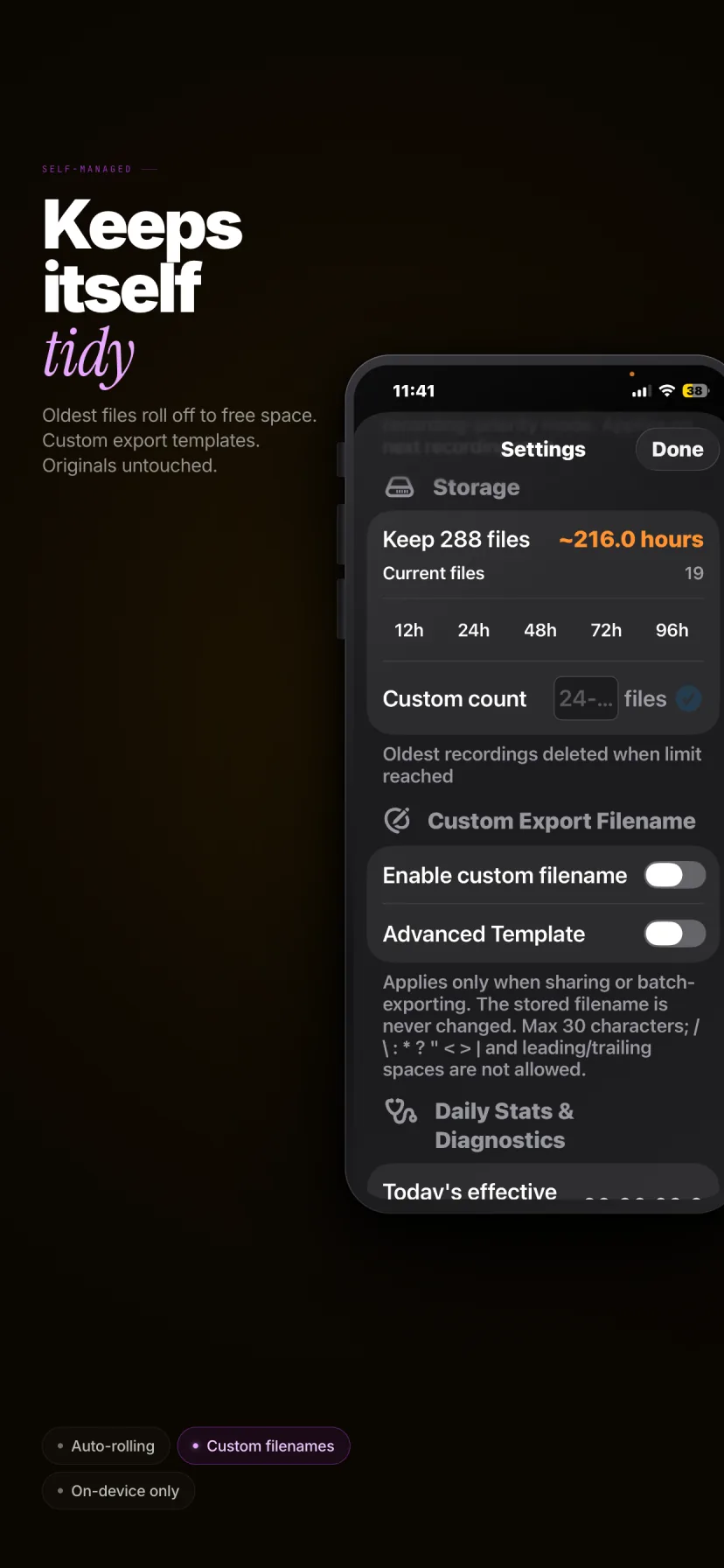
  • Custom export filenames with variable templates
  • Star protection and automatic cleanup controls

Boundaries and trust

  • Recordings stay on-device by default
  • No account required
  • No ads and no in-app purchases
  • App Store privacy label: Data Not Collected
  • Not for phone call recording
  • Does not capture third-party app audio streams

Exact answers for the claims most likely to matter.

Is MemoK a phone call recorder?

No. MemoK does not record phone calls and does not capture third-party app audio streams.

Does MemoK upload recordings to external servers?

No by default. MemoK is local-first and recordings stay on-device unless you manually export them.

Can I use MemoK for meetings, lectures, interviews, and field notes?

Yes. Those are the primary use cases reflected in its recording, segmentation, review, and export design.

Can I attach notes and export them as Markdown?

Yes. Quick Notes can be attached to recordings and exported together in a format that is easier to bring into later AI workflows.

Will MemoK always keep recording if I switch to Camera or get interrupted?

It is designed to be more resilient in those situations, with save-first logic and auto-resume attempts, but iOS still controls system audio rules.

Does MemoK require a subscription or an account?

No. The current US App Store price is $2.99, with no account, no ads, and no in-app purchases.

MemoK is for people who record inside real iPhone workflows, not idealized ones.

If your recording app only works when the phone stays untouched, it is not really built for meetings, interviews, or field notes. MemoK is the opposite design choice: local-first, interruption-aware, export-ready, and explicit about its limits.