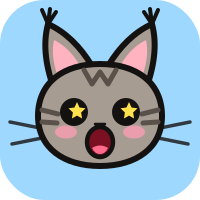
Make Your Cat
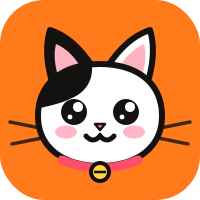
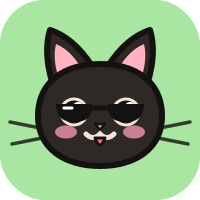
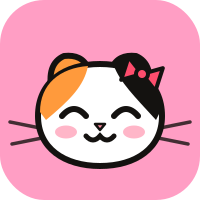
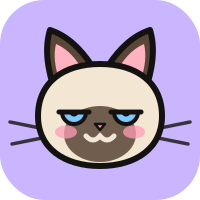
Spin a random cat, lock the parts you like and spin again. Eight coats, four ear shapes, six eyes, four mouths, six accessories and six backgrounds make 27,648 possible cats. Your friends see your cat when you meet.
 Meowdar
A toy for two iPhones
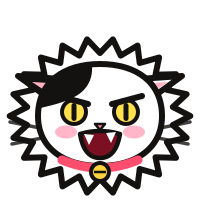
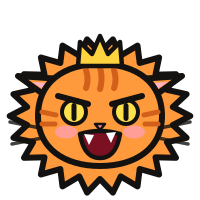
Meowdar is an iPhone app that turns two phones into two very dramatic cats. Bring them closer and they stare, flatten their ears, puff up and growl. Bump the phones and they make up. Now you’re Old Friends.
Coming soon on the App Store
See how it worksHow it works
Both of you open Meowdar on the Bump tab. The two cats react to the distance between the iPhones.
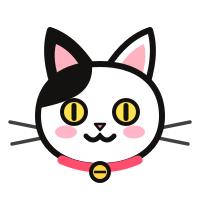
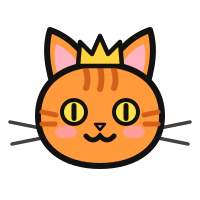
Far apart, the two cats just stare at each other.
Under 1.5 m their ears go back. Under 80 cm they puff up and hiss. Under 35 cm they growl.
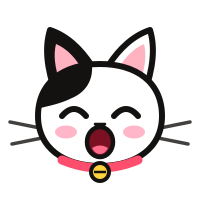
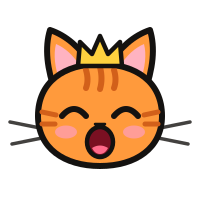
Tap the iPhones together. Each one shows Apple’s Bluetooth pairing request. Tap Pair on both and you’re Old Friends.
When both iPhones have an Ultra Wideband chip, the Bump screen shows the distance in centimetres. Otherwise Meowdar goes by Bluetooth signal strength, so the stages are approximate.
Old Friends
After the bump, put your phones away. When your old friend comes back within Bluetooth range, both iPhones play a Reunion Meow. When they walk away, you hear a Farewell Meow.
Keep Meowdar in the background. If you swipe it away in the app switcher, the meows stop until you open it again.
Thursday 22 October
21:07
Reunion: Hissy Moonow
Mrrr-ow~
Farewell: Coal2h ago
Mrrr-ow… (sniff)
Spin a random cat, lock the parts you like and spin again. Eight coats, four ear shapes, six eyes, four mouths, six accessories and six backgrounds make 27,648 possible cats. Your friends see your cat when you meet.
Record your best cat impression and shape it with the Meow Tuner. Then choose which real cat sounds play for reunions, farewells and the rest.
Add Meowdar to the Shortcuts app and your iPhone can meow when you plug in the charger, when the battery runs low, when you open an app or when you get home.
A step-by-step guide in the app shows how to set up each one.
The App Store shows the price for your region. Restore purchases is in My Meow → About.
Meowdar has no account, no analytics and no network service. Names and cats travel only between nearby phones. The microphone is used only when you record your own meow, and recordings stay on your iPhone. The App Store privacy label is “Data Not Collected”.
Read the privacy policyMeowdar is an iPhone app that turns two phones into two cats. When two iPhones with Meowdar come close, the cats stare, flatten their ears, puff up and growl. Bumping the phones pairs them as Old Friends, and from then on both phones meow when the friends meet again or part.
Yes. Bump and Old Friends work between two iPhones that both have Meowdar installed. With one phone you can still make your cat, record and tune your own meow, and use the Shortcuts actions.
Yes. Once you are Old Friends, Reunion and Farewell meows play with both phones locked, as long as Meowdar is not swiped away in the app switcher. The Farewell Meow waits about 20 seconds in case the connection comes straight back.
The cats flatten their ears under about 1.5 m, puff up and hiss under 80 cm and growl under 35 cm. To pair, bump the phones together and tap Pair on both Bluetooth requests.
No. Meowdar works offline. The phones find each other over Bluetooth and Apple’s Multipeer Connectivity. There is no account, no server and no data collection.
Yes, to start. Free includes one old friend, Make Your Cat, all built-in cat sounds and the Meow Tuner preview. A one-time in-app purchase unlocks unlimited old friends and saving your own recordings and tuned meows. There is no subscription and there are no ads.
Any iPhone with iOS 18 or later. When both phones have an Ultra Wideband chip, the Bump screen shows the distance in centimetres; otherwise it goes by Bluetooth signal strength. Meowdar is iPhone only; there is no iPad or Android version.
No. It is a toy, with no levels, scores or timers. It is listed under Entertainment on the App Store.
It is a sound-alike pun: in Chinese, a cat’s long, drawn-out meow sounds like “Lǎo Wú” (老吴, Old Wu). So in the Chinese version every meow is a 老吴, including the Reunion and Farewell meows.
Yes. On the Bump tab you can block or report the person you are facing, and in the Old Friends list you can forget, block or report a friend. Blocked people cannot pair with you again.
English and Simplified Chinese. The app follows your iPhone’s language, and you can switch in Settings → Meowdar → Language.
Two phones, two cats, one bump. Meowdar is free to start.
Coming soon on the App Store