 QuitAppAll apps ↗
Try what’s already on your phone
If all you want is “how many days has it been?”, you don’t need to install anything. Open Notes and write one line: “Quit smoking on 4 November.” When you want to know where you are, open Calendar and count.
Worried you’ll forget to look? Set a weekly reminder in Reminders to nudge you. Just don’t make it a daily task. The point was to have one less thing to do, not one more.
It also helps to decide what you’re tracking. “How long since my last cigarette?” only needs a running count. “Which days did I smoke this month, and how many?” means logging every day, and that’s a different kind of tool.
See the count the moment you unlock
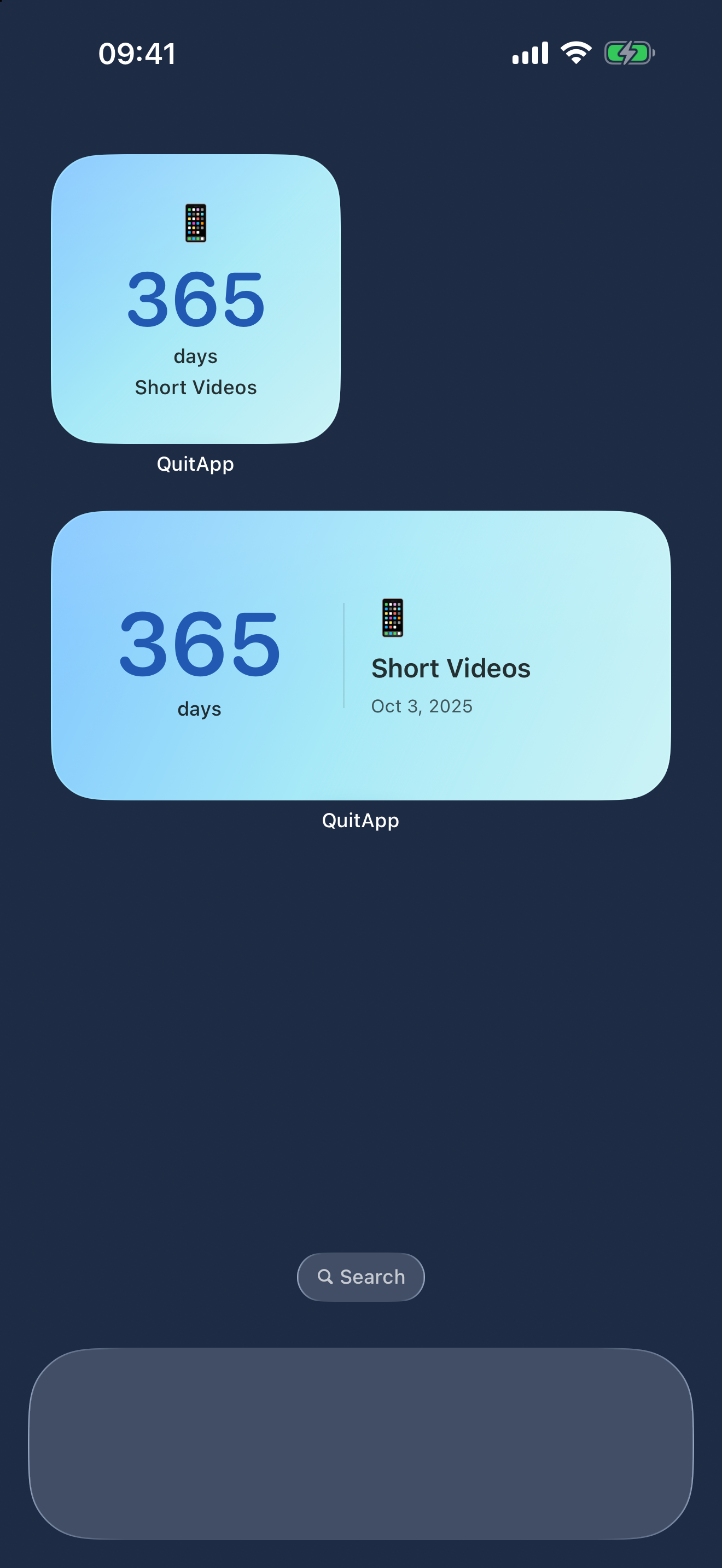
If you tend to pick up your phone just to see how many days it’s been, QuitApp saves you the trip to the calendar. Create a goal, from a preset or with your own name and icon, and the days count from its start time. No need to open the app and tap anything each day.
- Start with one goal. Check the name and start time. One is plenty; you can add more later.
- Put it on your Home Screen. Touch and hold an empty spot on the Home Screen to start editing, choose Add Widget, find QuitApp and pick a small, medium or large widget. Button names can vary a little between iOS versions; Apple’s widget guide has the details.
- Make it easy on the eyes. You can change the widget’s colors and theme. If you’d rather not tell everyone what you’re quitting, give the goal a discreet name.
iOS decides when widgets refresh. If the number doesn’t change right at midnight, nothing is wrong with your record; open the app and you’ll see the current count.
Had one? You don’t have to erase everything
If you slip, you can log a setback in QuitApp. Add a short reason if you like, such as “party” or “stressful day”, or leave it blank. When you confirm, the current run starts again from that moment, and your earlier run stays in your records.
QuitApp won’t decide whether one cigarette counts. That’s your rule to set; once you’ve set it, log things the same way each time.
If the number starts to feel like pressure, move the widget off your Home Screen and open the app when you want to look. The days you’ve already managed still count, whether or not they’re in front of you.
Who it suits, and who it doesn’t
QuitApp suits you if you want to follow one or a few goals, see the days add up by themselves, and skip daily check-ins. There’s no account, no ads and no in-app purchases, and your records stay on your device. It’s a paid download; see the App Store for the price in your region.
It won’t help with these:
- Counting how many cigarettes you smoke: it tracks time, not amounts.
- Professional support to quit: it doesn’t replace a doctor or a stop-smoking service.
- Records that follow you to a new phone: there’s no account syncing; records are stored on the device.
Frequently asked questions
The details before you begin
Does the count go up if I don’t open the app?
Yes. It counts from the start time you set, whether or not you open the app.
If I forget to check in, do I lose my streak?
No. There’s no check-in to miss. It shows how long it’s been since you started.
If I log a setback, do I lose my earlier run?
No. The earlier run stays in your records; only the current count starts again from the moment you confirm.
The widget didn’t change at midnight. What now?
iOS decides when widgets refresh. Open the app to check; your record isn’t lost.
Can I track something other than smoking?
Yes. You choose the name and icon, so it works for sugar, short videos or anything else. It always tracks time; it can’t see what you actually do.
Do I need an account or a subscription?
No. There’s no account, no subscription and no in-app purchase.
Sources & scope
Written by QuitApp’s developer. Features checked against the QuitApp page and product data on 4 November 2026. This guide is about keeping a record; it doesn’t rate any method of quitting.